Something went wrong. The page is temporarily unavailable.

Additional services in KBC Brussels Mobile

  • Arrange train tickets, order service vouchers, pay for parking and much more besides
  • Get to choose from a wide range of services even if you don't have a KBC Brussels account
  • Say goodbye to app clutter thanks to the all-in convenience of KBC Brussels Mobile
Open additional services in KBC Brussels Mobile

KBC Brussels Mobile lets you do much more than just bank with us. You can pay for parking, buy public transport tickets, order service vouchers and more besides all from one app.

Don't have a current account with us? Even if you don’t have an account at KBC Brussels, you can still use the additional services below that have an asterisk (*) after their name. Find out more about using KBC Brussels Mobile without a current account.

Tap into a growing list of services

Payment services

Loyalty cards: store all your loyalty cards digitally

No-one wants a wallet bulging to the seams with loyalty cards. Luckily, you can now store them digitally in KBC Brussels Mobile.

See how easy it is to add your cards

Apple Pay: pay contactless in-store, online and in-app
Apple Pay: contactloos betalen

Link your KBC Brussels debit or credit card to Apple Pay and make quick and easy contactless in-store, in-app and online payments with your iPhone, iPad, Apple Watch or MacBook.

Check out the benefits

Service vouchers: order, pay for and check the balance of your vouchers
Je dienstencheques bestellen met KBC Brussels Mobile

Our app lets you order and pay for service vouchers with ease, check your e-voucher balance and maximise tax relief on your voucher use.

See how to order service vouchers with KBC Brussels Mobile

Joyn*: save points on your digital loyalty card

Use KBC Brussels Mobile to scan Joyn QR codes at participating retailers to automatically save points on your digital loyalty card.

Save Joyn points

Wero: pay contacts without needing account details
Wero

You don't need a separate app for Wero. Simply use KBC Brussels Mobile to scan the QR code in-store and online and to pay friends without needing bank account details.

See how it works

PayPal: check balance and transactions
logo PayPal

Link your PayPal account to KBC Brussels Mobile and get a 24/7 view – no matter where you are – of what you've spent and what's been paid into that account.

See how it works

Split group expenses: keep track of what you’ve spent

Groepsuitgaven beheren

Going on a weekend away – or planned a holiday – with friends or family? Quickly add group expenses in KBC Brussels Mobile and easily keep track of who's paid back what. Anyone can add their expenses, even if they don’t have an account at KBC Brussels. Now that's handy!

Check out this handy tool

Home & energy

Are you looking for your dream home or planning to fully renovate your current property? Perhaps you're thinking about selling your current home and want to discover how much it could be worth.  Whatever your plans, we’re here for you. Find everything you need for your home in KBC Brussels Mobile.   

Discover MyHome

Mobility

4411: pay for parking
4411

You can now pay for parking in a snap using KBC Brussels Mobile’s 4411 service. The exact amount is debited directly from your bank account.

Learn more about parking with KBC Brussels Mobile and 4411

Brussels Airport*: book a Fast Lane Pass or Lounge Pass
KBC Brussels Mobile

Want more time and peace of mind when travelling? Buy yourself a Brussels Airport Fast Lane or Lounge Pass the easy way using KBC Brussels Mobile.

Learn more about the Lounge Pass and Fast Lane Pass

Cambio: book a shared car without taking out a subscription

Book a cambio car using KBC Brussels Mobile without a subscription and only pay for the kilometres and hours you drive.

See how easy it is

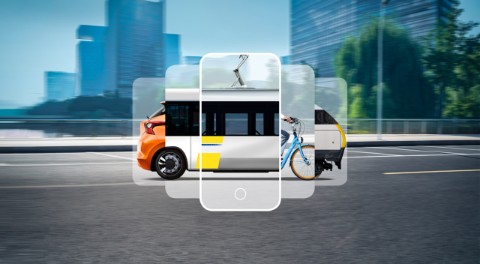
De Lijn*: buy single fares and 10-journey cards for the bus or tram
Buy De Lijn m-tickets and m-card10 (10-journey) cards in no time with our KBC Brussels Mobile app. It’s also cheaper than buying tickets by text message or from the driver!

See how to buy De Lijn tickets using KBC MobileKBC Brussels Mobile
Shared bikes: rent a bike for the day from Mobit, Blue-bike or Velo Antwerpen
Deelfiets huren met KBC Brussels Mobile

Our KBC Brussels Mobile app lets you rent a bike for the day from Mobit, Blue-bike or Velo Antwerpen.

Rent a shared bike using KBC Brussels Mobile

STIB*: upload STIB 10-journey tickets
10-rittenkaart MIVB

Regular user of public transport in Brussels? Top up your STIB 10-journey ticket (BRUPASS 10) with KBC Brussels Mobile.

See how it works

MoveSmart: manage your lease car or bike and report breakdowns
leasewagen of -fiets beheren

Track your order for a new lease car or lease bike. Schedule an appointment for a service or tyre change. Get roadside assistance from the VAB breakdown service. Just tap to contact them and your phone’s GPS will show them where you are.

See how it works

SNCB*: buy train tickets or multi-journey cards

Buy train tickets and multi-journey cards fast and check timetables. KBC Brussels Mobile has your ticket for you in a few moments to show to the guard.

Buy train tickets and check train times with KBC Brussels Mobile

Q-Park: park without a ticket
Park at Q-Park car parks with ease

Park at Q-Park car parks without needing to take a ticket. Simply drive in and out using number plate recognition and beat the queues at no extra cost.

See how to park easily with KBC Brussels Mobile and Q-Park

Get a ‘Category B’ driving licence*: everything you need for passing your driving test in KBC Brussels Mobile.
Theoretisch rijbewijs oefenen

Want to practise your driving theory test or book your practical lessons, refresher session or training session? You can do it all with KBC Brussels Mobile.

See how it works

Refuel at Q8: pay automatically at the pumps

Add your number plate in KBC Brussels Mobile to pay automatically and save Q8 smiles for discounts and more.

Pay automatically at Q8

Leisure

Kinepolis*: buy cinema tickets

Select your seats and pay for them fast right from KBC Brussels Mobile, where your tickets appear moments later. You pay the same as at Kinepolis.

Buy Kinepolis cinema tickets with KBC Brussels Mobile
 

Financial news: keep up with the latest economic developments
Blijf op de hoogte van het financieel nieuws

Read economic articles from De Tijd, VRT NWS and our own KBC Brussels experts, directly in KBC Brussels Mobile – all free of charge and without the need to register or take out a subscription.

See full details

Telecom

Orange Tempo*: top up phone credit
Belwaarde kopen

Use KBC Brussels Mobile to top up your or someone else’s Orange Tempo card (like a family member or friend). All you need is a mobile number.

Top up an Orange prepaid card

Proximus Pay&Go*: top up phone credit

Use KBC Brussels Mobile to buy call credit for yourself or someone else. All you need is a mobile number.

Top up a Proximus prepaid card

BASE: top up phone credit
BASE herladen

Use KBC Brussels Mobile to buy call credit for yourself or someone else. All you need is a mobile number.

Top up a BASE prepaid card

Administration

Helena*: check your medical data
Logo Helena

Helena gives you quick and easy access to your medical data, such as reports, prescriptions and vaccination certificates, which you can see right from KBC Brussels Mobile.

See how it works

Registered e-mails: send important communications by registered e-mail

Aangetekende e-mails versturen

You can now easily send important information by registered e-mail in KBC Brussels Mobile. Set up your e-mail in a few clicks and follow the status in your overview screen. Our partner IPEX will ensure that everything runs smoothly and safely.

See how it works

Digital safe: store valuable data
Digitale kluis in KBC Brussels Mobile

Store valuable and confidential details like passwords, credit card numbers, warranties and diplomas in your digital safe. Only you have access to it and you decide what to share with others.

Everything you need to know about your digital safe in KBC Brussels Mobile

eBox: view government and other documents in digital format
Raadpleeg je overheidsdocumenten digitaal met eBox

eBox is a secure electronic mailbox where you can receive, keep and manage your government documents safely in digital form, including calculations of your social security contributions, administrative fines and details relating to child benefit or your taxes.

See how to activate and link your eBox to KBC Brussels Mobile
For your business

Submitting expenses: simplify working with your accountant
makkelijk samenwerken met je boekhouder

This additional service provides you with a digital summary of your expense receipts in KBC Brussels Mobile and KBC Brussels Touch, making it much easier for you to send your expenses history to your accountant.

Find out more about ‘Submitting expenses’

Billit: manage your invoicing the easy way
vlot je facturen regelen

Manage your invoices the easy digital way thanks to the Billit e-invoicing platform. You’ll get a clear view of your invoicing at all times and be able to manage your business even more efficiently. And you’re given a free, 15-day trial period to test the waters. Go for it!


Get the benefits of Billit

Go Solid: recover unpaid invoices
Onbetaalde facturen laten innen

With Go Solid in KBC Brussels Mobile and KBC Brussels Touch, you can collect your unpaid invoices easily, without having to go to court or without undermining your customer relationship.

See how to get paid faster

NOWJOBS: find flexible staff and post vacancies for free
flexibele werkkrachten vinden

Sometimes you just need an extra helping hand for your business and so you want to quickly find a motivated m/f/x to fill a position until the work's done. Well, there’s a solution in the form of NOWJOBS!

Quickly get the help you need

Cera

Cera: manage your Cera-related business
zicht op je Cera-zaken

Buy Cera shares easily, check your existing ones and register to attend their annual general meeting.

Manage your Cera-related business

Other services

‘Kom op tegen Kanker’: provide financial support in the fight against cancer
Steun kom op tegen kanker

Support the fight against cancer and make a donation using this additional service in KBC Brussels Mobile.

See how it works

* You can use these additional services without having an account with KBC Brussels.

Open additional services in KBC Brussels Mobile
Don’t have KBC Brussels Mobile? Download it now

Questions about our additional services

Check out our FAQs. If you can't find the answer there, call our helpdesk on 016 43 25 30 or send an e-mail to extraservicessupport@kbc.be.