
Check your direct debits with Kate
- Get a clear overview of all current direct debits
- Block or unblock payments*
- View recipients’ contact details
How to ask Kate:
- Open KBC Brussels Mobile and start a conversation with Kate.
- Ask your question in plain language, for example: ‘Kate, can you show my direct debits?’
- Kate will direct you to an overview with:
- The recipients and their contact details,
- The payments that have already been made,
- The status of each direct debit.
- Choose a direct debit to view its details or block/unblock it.
- Confirm your choice.
Want to try Kate but don't have KBC Brussels Mobile?
For Android
Step 1: Scan the QR code shown and install KBC Brussels Mobile or go to Google Play on your phone and install KBC Brussels Mobile
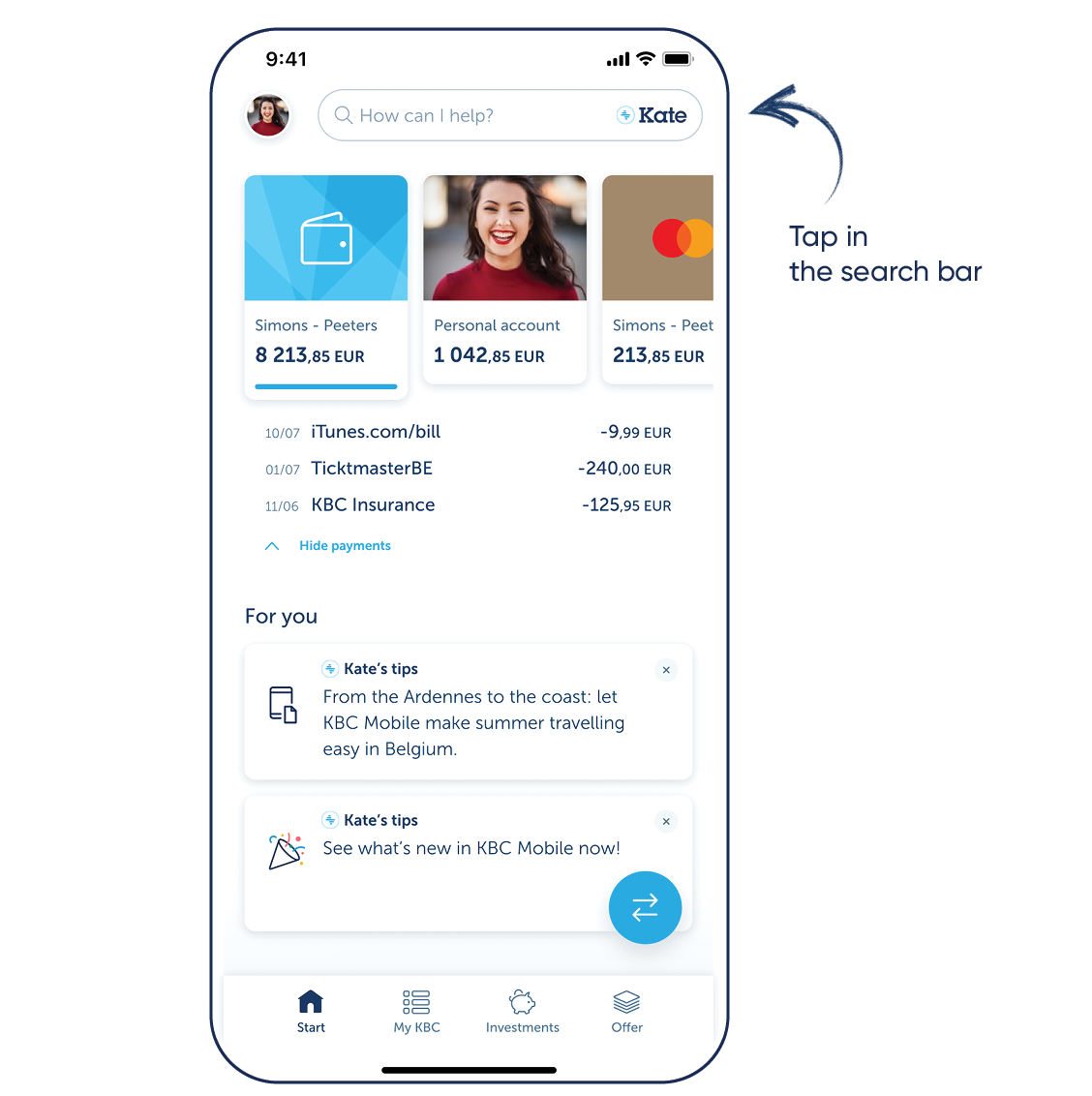
Step 2: Log in to KBC Brussels Mobile and tap the search bar at the top
For iPhone
Step 1: Scan the QR code shown and install KBC Brussels Mobile or go to the App Store on your phone and install KBC Brussels Mobile
Step 2: Log in to KBC Brussels Mobile and tap the search bar at the top
Download KBC Brussels Mobile
Open the app and follow the instructions. Tap the search bar at the top to talk to Kate.

Download KBC Brussels Mobile
Open the app and follow the instructions. Tap the search bar at the top to talk to Kate.