


Update your personal details in KBC Brussels Mobile
- Update everything yourself (no need to make an appointment)
- Update your details easily in a secure environment
- Trust Kate to quickly point you in the right direction
How to ask Kate:
- Open KBC Brussels Mobile and start a conversation with Kate.
- Ask your question in plain language, for example: ‘Kate, where can I update my personal details?’
- Kate will show you where you can update your personal details.
- Update your details and tap ‘Sign’.
- Sign with itsme® or your card reader.
Want to try Kate but don't have KBC Brussels Mobile?
For Android
Step 1: Scan the QR code shown and install KBC Brussels Mobile or go to Google Play on your phone and install KBC Brussels Mobile
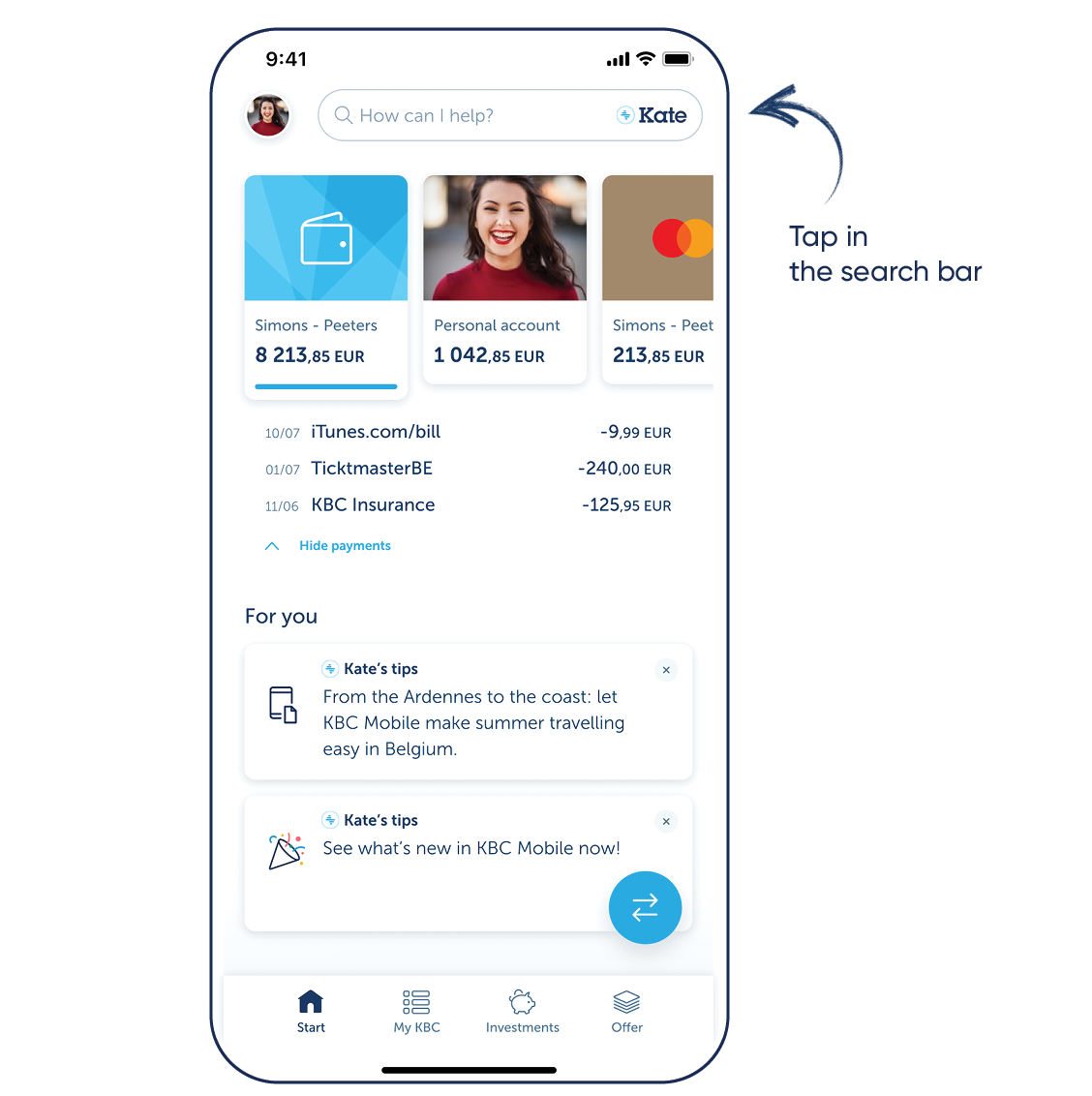
Step 2: Log in to KBC Brussels Mobile and tap the search bar at the top
For iPhone
Step 1: Scan the QR code shown and install KBC Brussels Mobile or go to the App Store on your phone and install KBC Brussels Mobile
Step 2: Log in to KBC Brussels Mobile and tap the search bar at the top
Download KBC Brussels Mobile
Open the app and follow the instructions. Tap the search bar at the top to talk to Kate.

Download KBC Brussels Mobile
Open the app and follow the instructions. Tap the search bar at the top to talk to Kate.