
Something went wrong. The page is temporarily unavailable.
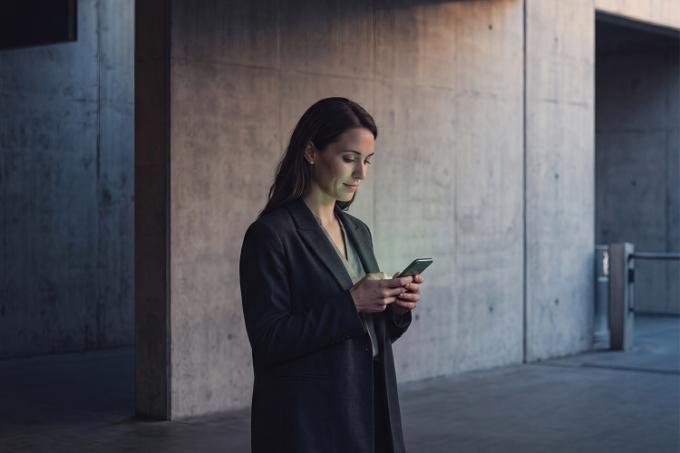
woman approves transfer in subway station

Protect yourself against scams with ‘Guardian Angel’

  • Get more protection against phishing 
  • Have an additional check carried out when transferring money 
  • Pay with greater certainty 
Activate ‘Guardian Angel’

What is ‘Guardian Angel’?

Ever stress about fraud and phishing, sometimes doubt whether a transfer is genuine or not or worry you’ll accidentally transfer money to a scammer?

With our new free ‘Guardian Angel’ service in KBC Brussels Mobile, a trusted contact person checks suspicious transfers for you before they are carried out. You are the one who designates the person to perform the check (for instance, a friend or family member).

Our customer experiences

When KBC Brussels identified suspicious transfers, they alerted me right away. We were then able to prevent further damage from being done.

Kathleen, trusted contact person for her 83 year-old father Willy
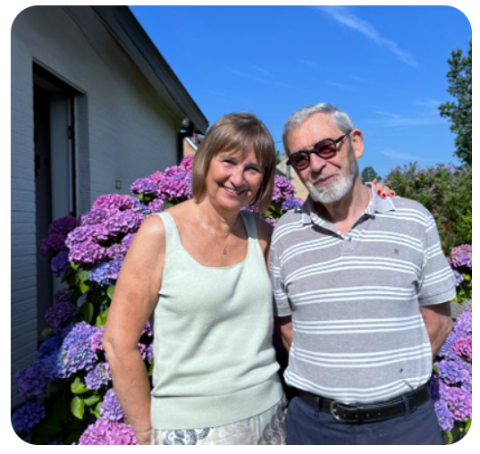
Kathleen and Willy

How does ‘Guardian Angel’ work?

Activate the service together with someone you trust
You personally choose someone you trust to act as your guardian angel. You both have to be in the same place just once to scan a QR code in KBC Brussels Mobile. To do this, tap ‘Additional services’ in the app, scroll to ‘Payment services’ and tap ‘Guardian Angel’ or ask Kate: 'Activate Guardian Angel’.

We identify a suspicious transfer
If KBC Brussels Secure4u detects a suspicious transfer, your trusted contact person will receive a notification in KBC Brussels Mobile. They can then examine the transfer remotely.

Your trusted contact person either approves or rejects the transfer
After discussing the situation with you, the person you’ve designated as your guardian angel will either approve or reject the transfer. This means you’re never left to your own devices if you have doubts about a transfer.

Activate ‘Guardian Angel’

FAQs

Is 'Guardian Angel' free?

Yes, 'Guardian Angel' is available free of charge in KBC Brussels Mobile.

Does my trusted contact person have to approve every payment?

No, they don’t. Only payments that KBC Brussels Secure4u considers suspicious are forwarded to your trusted contact person. 

Does my trusted contact person have access to my accounts?

No, they don’t. Your trusted contact person is unable to access your account, balance or transactions. They can only see suspicious payments that have been forwarded to them for checking by KBC Brussels Secure4u.

Can I choose my own trusted contact person?

Yes, you can. Choose someone you trust and that person will check any suspicious payments with you.

Can I designate several people as trusted contact person?

No, you can have just one trusted contact person. You can, however, be a trusted contact person for more than one person (for example, for both your mother and your father).

Does my trusted contact person have to be a KBC Brussels customer?

No, they don’t. However, they have to download the KBC Brussels Mobile app and enter their details.

What happens if my trusted contact person doesn’t respond?

There’s always the possibility that they forget to approve something. In that case, they will be sent a notification. If they fail to respond after 72 hours, the transfer will go ahead anyway.

Can I change my trusted contact person?

Yes, you can choose another one at any time. All you have to do is call KBC Brussels Live or drop by a branch near you. You or your original trusted contact person has to log out of the service, after which you can designate and set up a new person in KBC Brussels Mobile.


Can I check transfers for someone else?

Yes, you can. Discuss it with the person you want to help, before meeting up with them to set up the link just once via a QR code in KBC Brussels Mobile. You’ll then receive an alert whenever a suspicious payment needs to be checked.

Can I stop using the ‘Guardian Angel’ service?

Yes, you can deactivate the service at any time. All you have to do is call KBC Brussels Live or drop by a branch near you.

Pay with more confidence

An additional check

The person you’ve designated assesses any suspicious transfers when required.


Someone you trust

You choose the person who helps you or the person you help. That could be a family member, friend or acquaintance.

Only when necessary

Your trusted contact person only checks transfers that KBC Brussels Secure4u regards as carrying a risk.


Easy to activate

Link your trusted contact person once by means of a QR code in KBC Brussels Mobile. You both have to be in the same place to do this.

For yourself or for someone else

You can set up ‘Guardian Angel’ for yourself or you can help someone else by acting as their trusted contact person.

Remote assistance

The person you trust can check suspicious transfers without having to be physically with you in the same place.

Want more protection against fraud?

Activate ‘Guardian Angel’