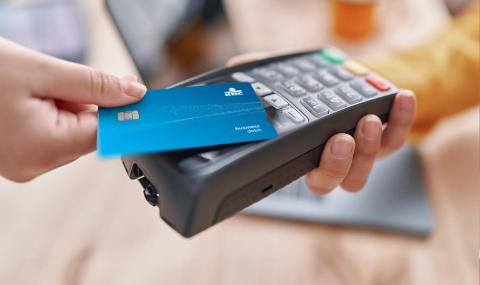


KBC Brussels Business Debit Card
- Pay quickly online and in-store anywhere in the world
- Pay by contactless
- Easily withdraw cash at ATMs
Why go for a KBC Brussels Business Debit Card?
- Pay quickly and safely in shops, filling stations, restaurants and online
- Easily withdraw cash at ATMs
- Can be used anywhere in the world accepting Bancontact or Mastercard
Where can you use the KBC Brussels Business Debit Card?
As standard, your KBC Brussels Business Debit Card can be used only in Europe (including the European overseas territories, Turkey and six other countries).
If you’re planning to travel outside Europe, ask Kate – your digital assistant in KBC Brussels Mobile – to temporarily activate your card for worldwide use or for worldwide use excluding the USA. If you don't have KBC Brussels Mobile, do this using KBC Brussels Touch, contact KBC Brussels Live or go to your branch.
More information about the KBC Brussels Business Debit Card
How do I change my card settings?
You can use KBC Brussels Touch, KBC Brussels Mobile or the KBC Brussels Business Dashboard to:
- quickly and securely change your card's limits
- enable your card for paying online
- temporarily activate your card for worldwide use or for worldwide use excluding the USA
Or just ask Kate, your digital assistant in KBC Brussels Mobile.
If you don't have our apps, contact KBC Brussels Live or go to your branch.
How much can I spend on my card?
As standard, the maximum amount you can withdraw at KBC Brussels ATMs or CASH points is:
- 650 euros per day (up to a maximum of 2,500 euros per day)
- 2,500 euros per week (up to a maximum of 10,000 euros per week)
You can easily change these amounts yourself using KBC Brussels Touch, KBC Brussels Mobile or the KBC Brussels Business Dashboard.
Total spending is limited to 25,000 euros per week.
What fees and charges apply to my KBC Brussels Business Debit Card?
| KBC Brussels Business Debit Card combined with a KBC Brussels Business PRO Account | |
| Annual fee | 1 card included (additional card 9 euros per year) |
| Cash withdrawals at KBC Brussels ATMs or CASH points | Included |
| Cash withdrawals at other ATMs | Included |
What should I do if my card is lost or stolen, or if I suspect it’s been used fraudulently?
Block your card right away using KBC Brussels Mobile.
- Log in to KBC Brussels Mobile
- Tap ‘My KBC’ and scroll to ‘Means of payment’
- Select the card you want to block
- Tap ‘Block, replace or cancel’
- Select Card Stop
Or ask Kate – your digital assistant in KBC Brussels Mobile – to block your card.
Alternatively, call Card Stop on + 32 78 170 170. They will block your card and ensure you get a new one. Card Stop can be contacted at any time.
If you also lose your smartphone, call + 32 16 432 000 right away (available 24/7) and we'll block all your KBC Brussels apps.
What should I look out for when I receive my new Mastercard-branded card?
The Mastercard-branded card that replaces your Maestro-branded card has a different number. That means you’ll need to see to it that your new number is used if you:
- have given an online shop permission to save your card’s number
- have a subscription linked to your card
- use Apple Pay, Google Pay, Garmin Pay or Fitbit Pay
Your Mastercard-branded KBC Brussels Business Debit Card has a Card Verification Code (CVC) you have to enter, along with your card’s number and expiry date, each time you make an online purchase with Mastercard. You never need to enter your CVC when buying something using Bancontact.
What if I still have a debit card with the Maestro logo (overlapping red and blue circles)?
You can keep using your card until it expires, after which you’ll automatically receive a new Mastercard-branded KBC Brussels Business Debit Card.
If your card is defective or has been blocked by Card Stop, you’ll likewise receive a new Mastercard-branded card.
What is a reserved (pre-authorised) amount?
An amount is reserved when a transaction is already known but still has to be processed. The amount concerned is deducted from the available balance on your account.
Amounts are often pre-authorised when you refuel or make payments with Mastercard or Maestro. If amounts have been reserved, they appear at the top of your list of transactions and have an ‘R’ beside them.
Amounts remain on temporary hold for a few days at most. Exceptionally, though, an amount can remain reserved as a security deposit for 30 days or longer. Once the payments have been processed, they will appear in your list of transactions. You can see how long amounts are on temporary hold in KBC Brussels Mobile or KBC Brussels Touch. If you want to avoid them, you should pay with your credit card or prepaid card.